
Core Features of Simneta NetLab
Everything you need to design, practice, and troubleshoot computer networks directly in your browser with zero installation.
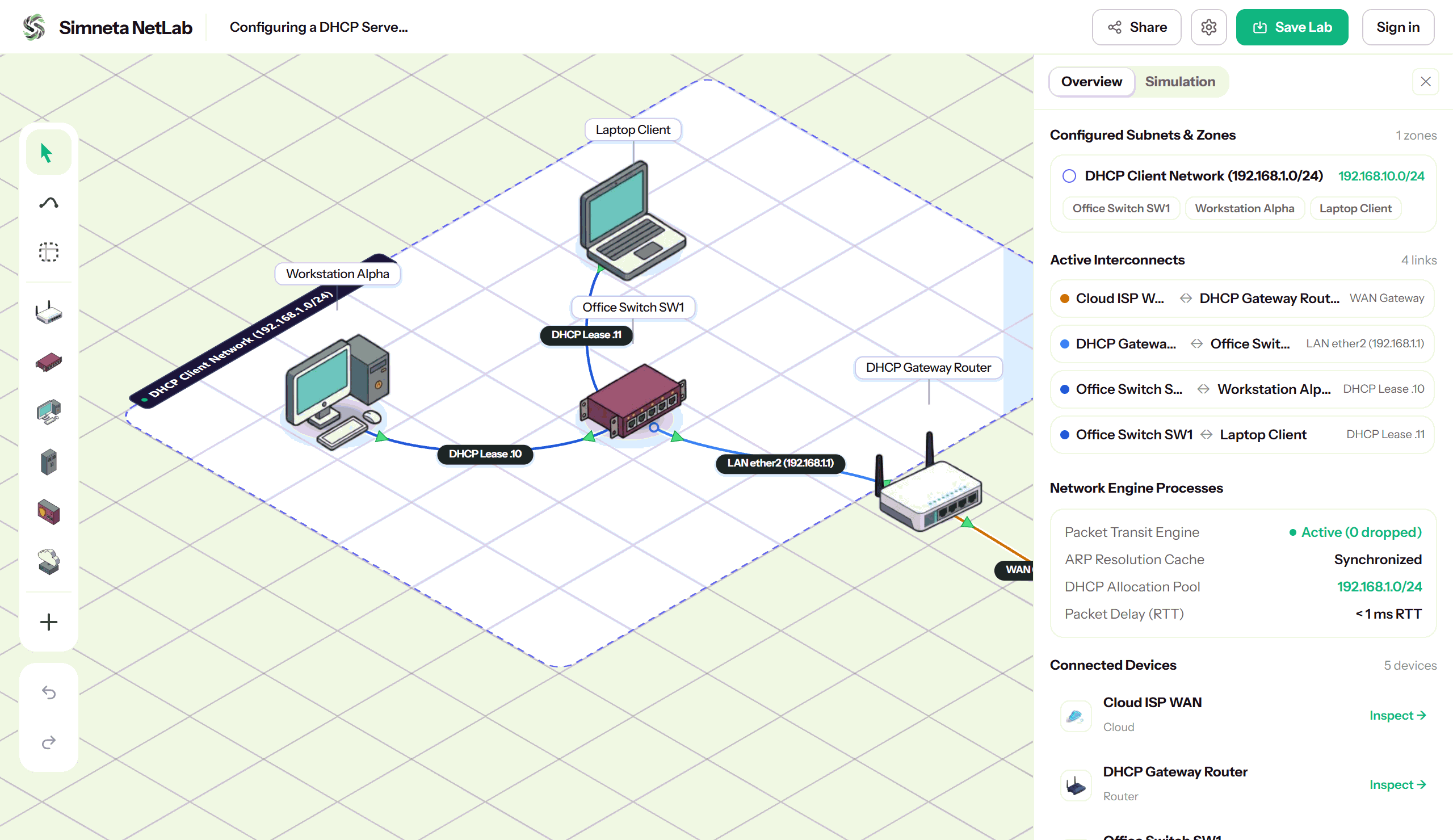
Visual Topology Canvas
Design network topologies easily in your browser. Drag routers, switches, servers, and computers directly onto an aligned isometric canvas. Connect devices with virtual Ethernet cables in seconds, organize them into color-coded subnet zones, and switch between 2D and 3D views anytime.
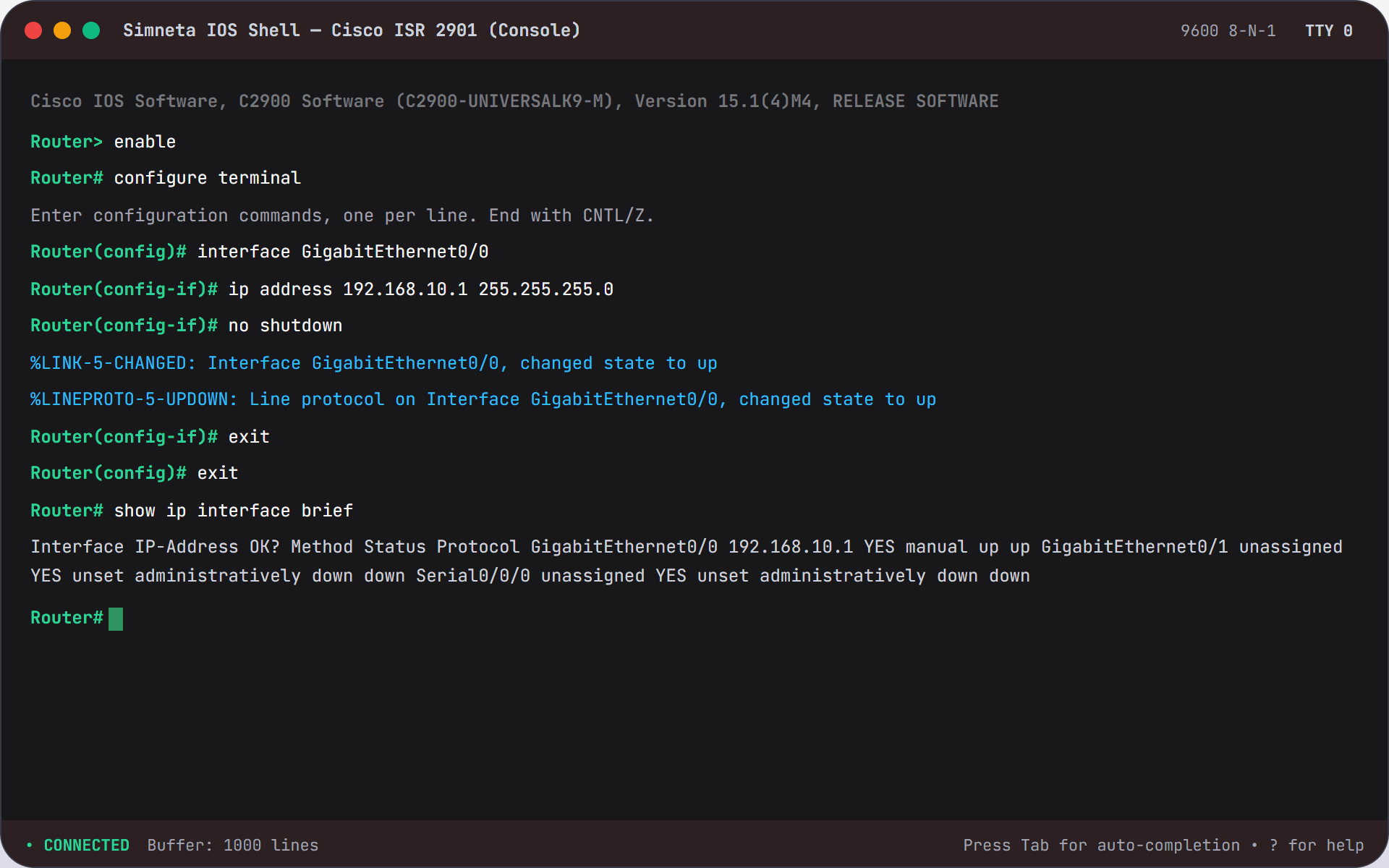
Interactive Terminal CLI
Build command-line confidence with keyboard navigation. Access the command prompt of any router, switch, or computer on your canvas to verify network reachability, view routing tables, and practice industry certification exam tasks.
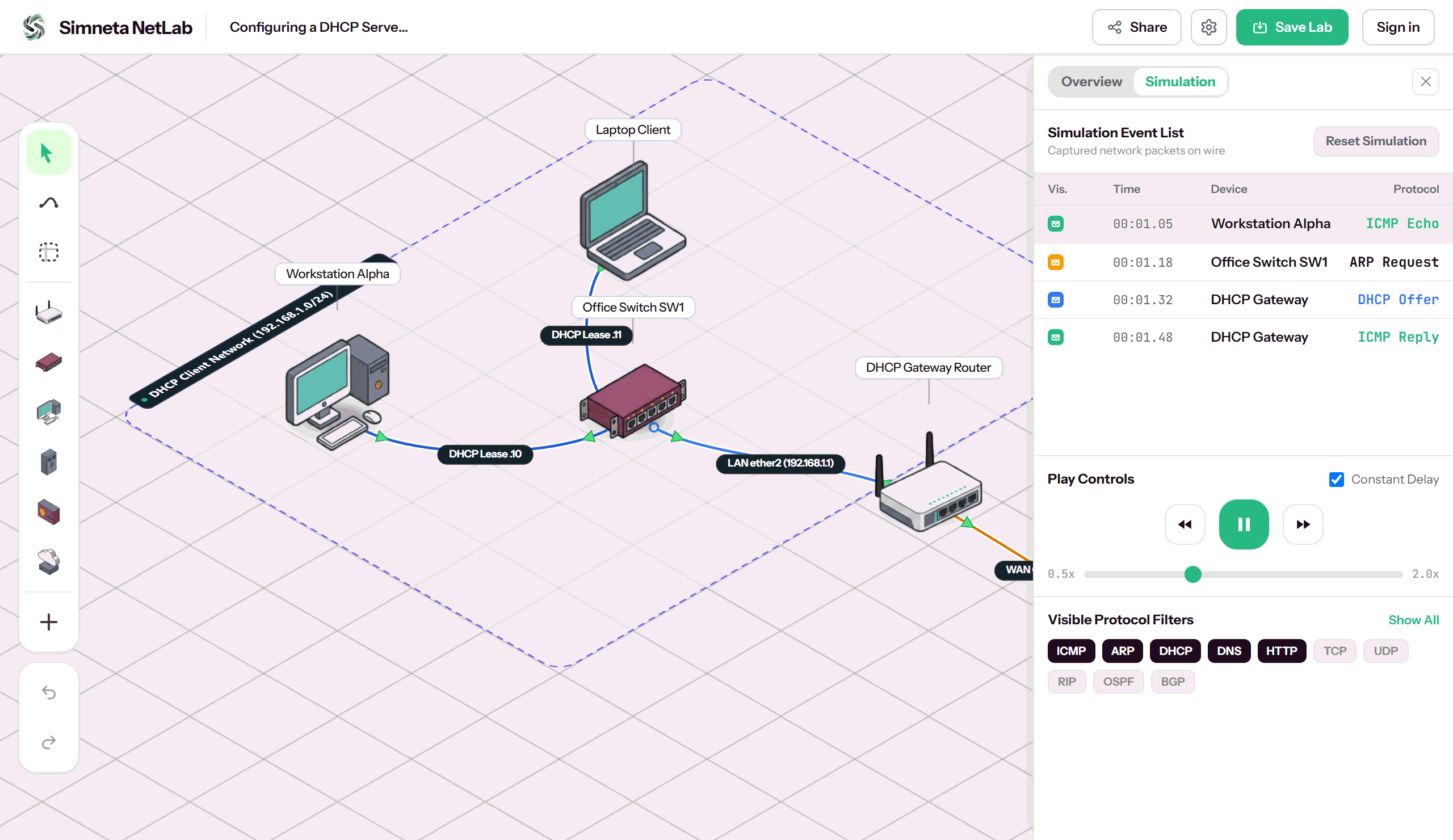
Simulation Mode & Packet Flow
Understand how networking actually works under the hood. Switch to Simulation Mode to pause time, step through packet transmissions one hop at a time, and inspect packet headers to see source and destination IP addresses, MAC addresses, and protocol flags.
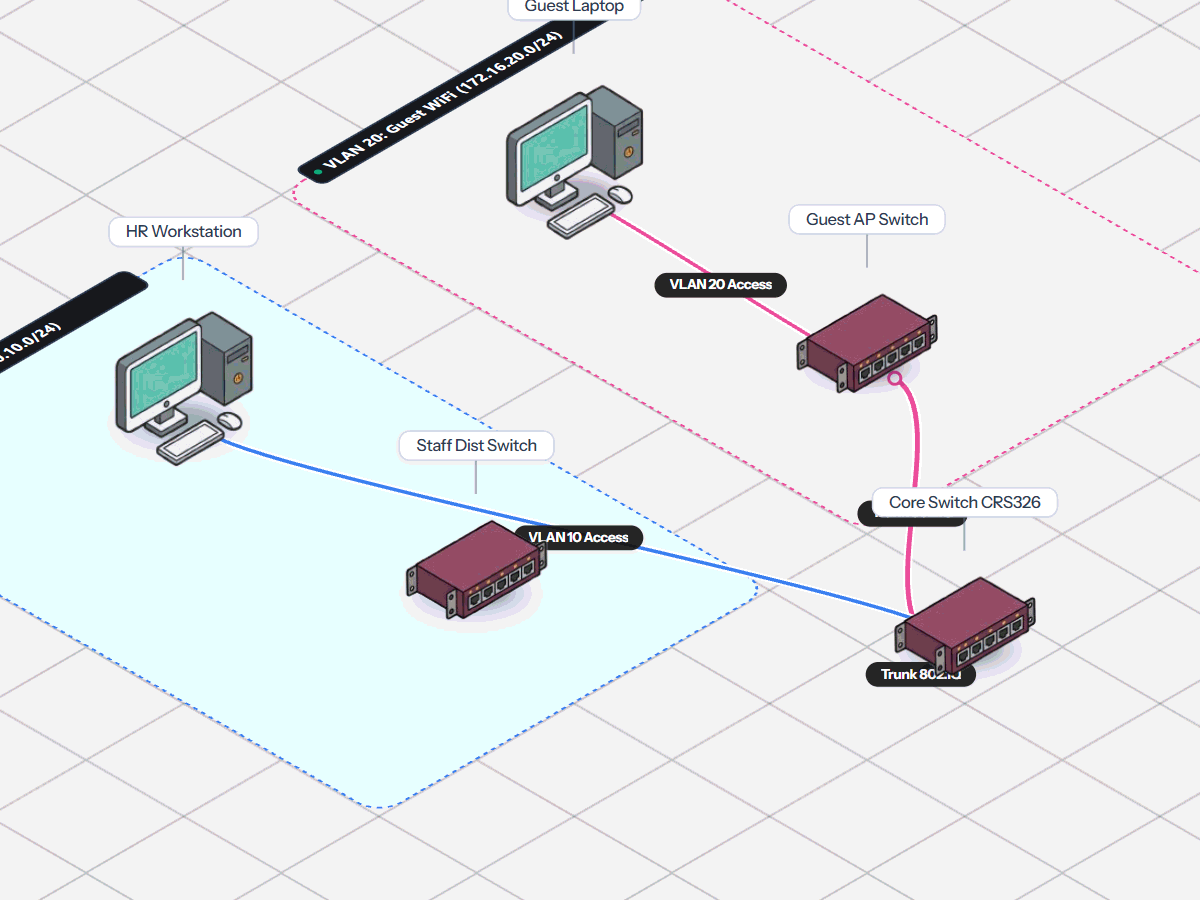
Subnets & VLAN Segmentation
Learn modern enterprise network segmentation. Divide a single physical switch into isolated virtual networks (VLANs), set switch ports to Access or Trunk mode, and set up a router-on-a-stick topology to enable controlled communication between departments.
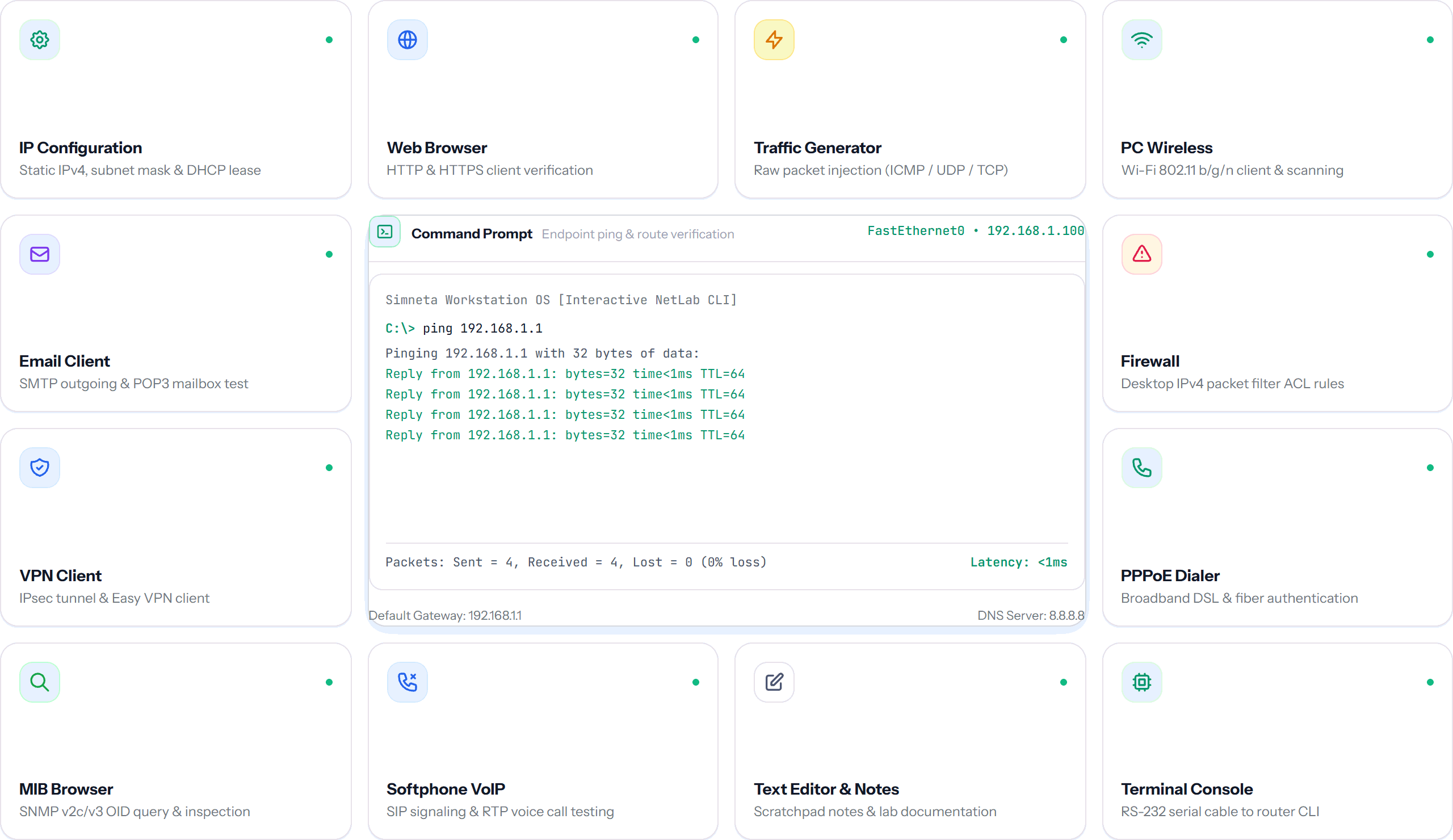
Workstation Desktop & 13 Apps
Every PC and laptop endpoint features a full virtual desktop environment. Test network services just like a real user using 13 built-in applications: request dynamic IP addresses, browse local web servers, scan open ports, calculate subnet masks, and capture endpoint traffic.
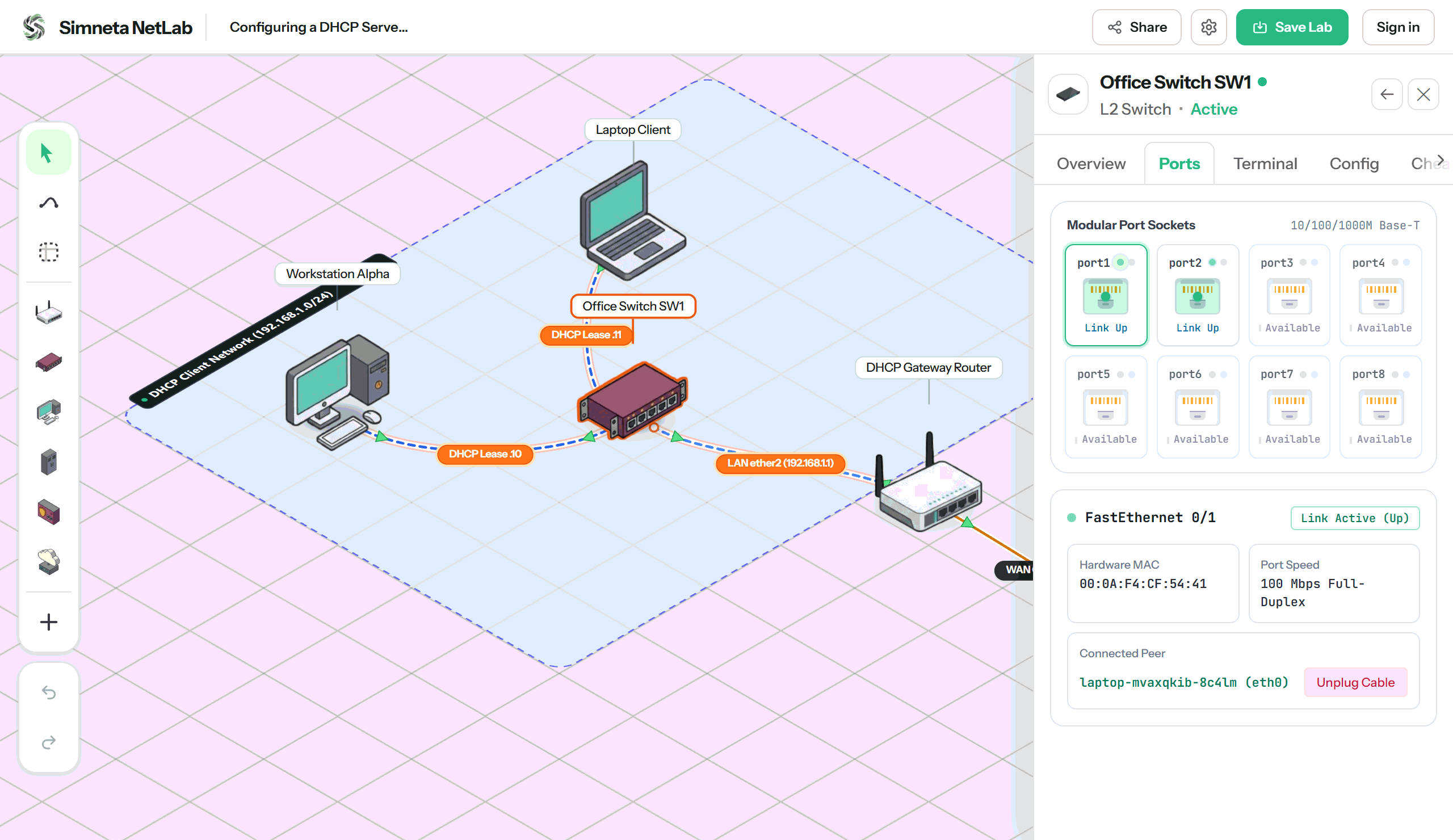
Hardware Port Faceplates
Bridge the gap between abstract diagrams and real physical network hardware. Simneta NetLab renders realistic modular front panels for switches and routers, complete with bi-color link and activity LEDs, Gigabit port sockets, and direct cable plug/unplug mechanics.
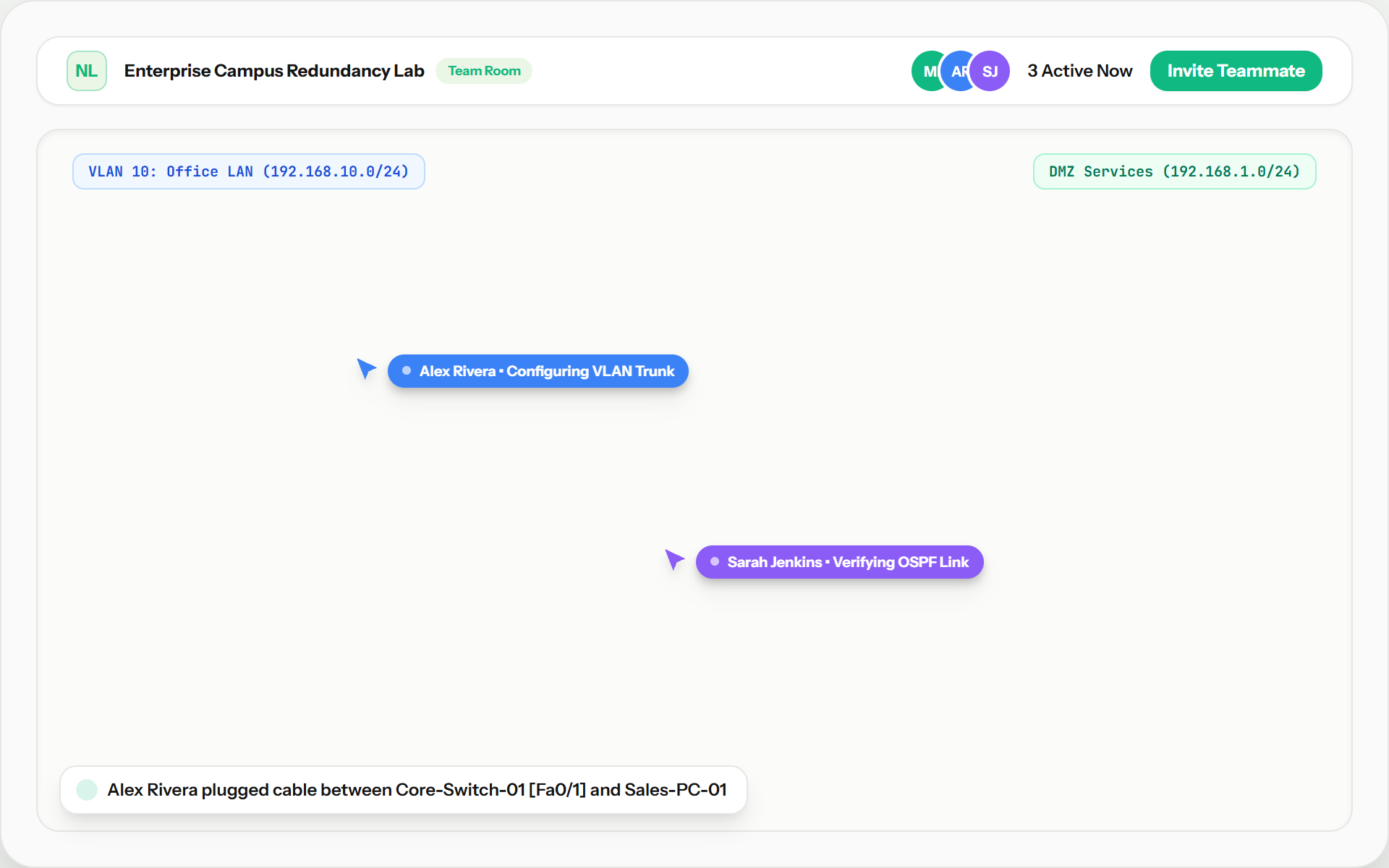
Real-Time Team Collaboration
Build and troubleshoot network topologies together. When working in group workspace mode, multiple users can open the same lab at the same time. Watch live cursor movements, see cables and routers placed in real time, and divide configuration tasks across team members.
Ready to test network topologies?
Open a clean NetLab canvas in seconds, or follow step-by-step guided networking exercises.