
Lightweight GNS3 Online Alternative
Skip the multi-hour setup of GNS3 VM, virtual machine setup, and hunting for proprietary router images. Simneta NetLab gives you a fast, responsive network lab directly in your browser with zero CPU thermal throttling.
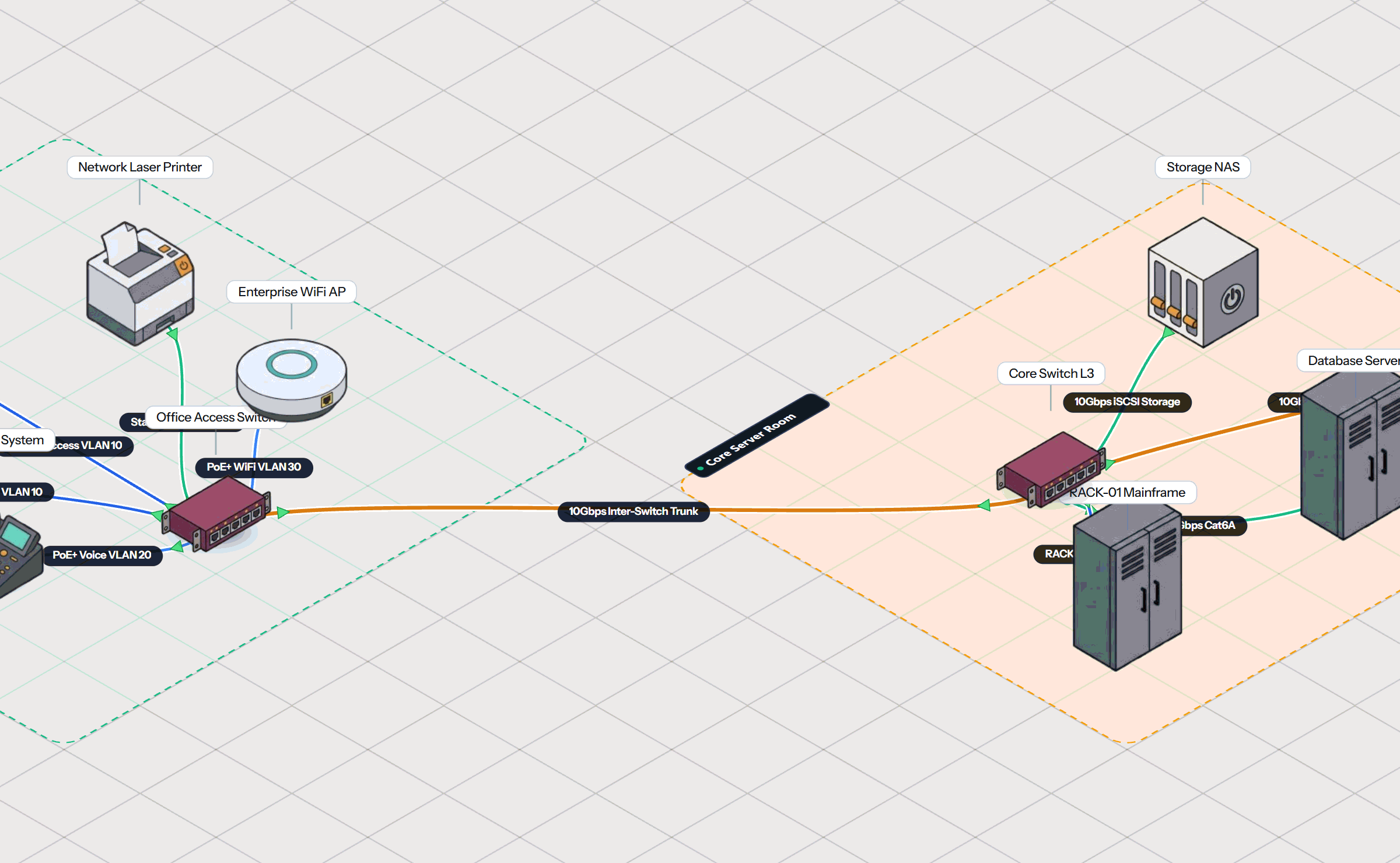
How Simneta NetLab Differs from GNS3
GNS3 is an emulator that executes actual binary operating systems inside heavy VMs. Simneta NetLab is a specialized browser simulation engine tailored for rapid learning and practical verification.
Zero Virtual Machine Lag
No need to install VMware Workstation, VirtualBox, or KVM. Everything executes natively inside your browser tab without burning through your laptop battery.
Instant Startup in Seconds
GNS3 takes minutes to boot the background virtual machine, attach console sockets, and initialize routers. Simneta starts immediately when you open the page.
No Image Sourcing Hassles
Never get stuck searching for copyrighted Cisco IOS .bin or .qcow2 images. Simneta comes with rich built-in networking logic ready to route packets out of the box.
Visible Wire Packets
Instead of running heavy external packet capture tools, Simneta displays animated packets on cables with immediate built-in frame breakdowns.
GNS3 Frustrations That Simneta NetLab Solves
Eliminate the frustrating barriers that keep you from actually studying networking.
Hours of Complex Virtual Machine Setup
Setting up GNS3 requires installing both the GNS3 GUI and the GNS3 VM inside VMware, configuring host-only adapter bridges, and resolving IP synchronization errors. Simneta starts in one click.
Dynamips 100% CPU Spikes
Forgetting to calibrate the Idle-PC value in GNS3 can peg your laptop CPU at 100%, causing loud fan noise and rapid battery drain. Simneta's lightweight browser engine runs at less than 2% CPU.
16 GB to 32 GB RAM Hardware Demands
Running a topology of multiple routers in GNS3 frequently consumes 8 to 16 GB of memory, making it impossible to run comfortably on standard office laptops or Chromebooks. Simneta uses under 150 MB.
Frequent Network Bridge Dropouts
Operating system updates often break VMware virtual network adapters, breaking GNS3 topologies without warning. Simneta's web engine is immune to host virtualization breakages.
How Simneta NetLab Works
A pure web experience designed for speed, clarity, and rapid concept retention.
Open in Any Browser
Navigate to the workspace on your laptop, Mac, Chromebook, or tablet. No virtual machine boot delay, no root permissions required.
Snap Wires and Place Routers
Assemble routers, switches, and client computers on the visual grid. Auto-MDIX cables connect endpoints in a single fluid drag.
Configure via CLI Terminal
Use interactive command lines to set IP addresses, configure OSPF routing, and watch ping packet pulses across the wire.
GNS3 vs Simneta NetLab Comparison
Detailed criteria comparison for students, teachers, and network administrators.
| Evaluation Metric | GNS3 | Simneta NetLab |
|---|---|---|
| Host Resource Footprint | 8 to 32 GB RAM recommended + heavy CPU virtualization | < 150 MB RAM (Standard browser tab) |
| Setup & Installation | Complex (GNS3 GUI + VMware Workstation / VirtualBox + GNS3 VM) | Zero (Direct web URL, runs immediately) |
| Operating System Images | Must manually locate, download, and license vendor images | Built-in protocol logic ready to simulate |
| Chromebook and Tablet Support | Not supported (Requires heavy virtual machine software) | Fully supported on ChromeOS, macOS, Linux, iPad |
| Packet Flow Inspection | Requires running separate network sniffer software | Animated packets on wire with built-in frame inspector |
| Router Configuration Mode | Text terminal CLI via Telnet / PuTTY | Interactive Terminal CLI & Visual Canvas |
| Classroom Collaboration | Requires setting up VPNs and remote server daemons | One-click URL sharing for peer troubleshooting |
The Bottom Line: Which Tool Fits Your Needs?
Pick GNS3 when you need:
- •Bit-exact emulation of proprietary Cisco ASA or Juniper JunOS kernels using actual firmware.
- •Advanced CCIE-level lab scenarios requiring esoteric enterprise features.
- •You own a high-end desktop workstation with 16 to 32+ GB RAM.
Pick Simneta NetLab when you need:
- •Instant hands-on practice without 2 hours of virtual machine setup or hunting for firmware images.
- •To practice on a laptop or Chromebook without burning through battery or spinning loud fans.
- •To practice terminal CLIs with visual packet flow intuition on interactive cables.
Frequently Asked Questions
Common questions regarding GNS3 alternatives and browser-based network simulation.