
Workstation Desktop & 13 Apps
Use 13 built-in desktop apps on PCs and laptops, from Web Browser to Packet Sniffer.
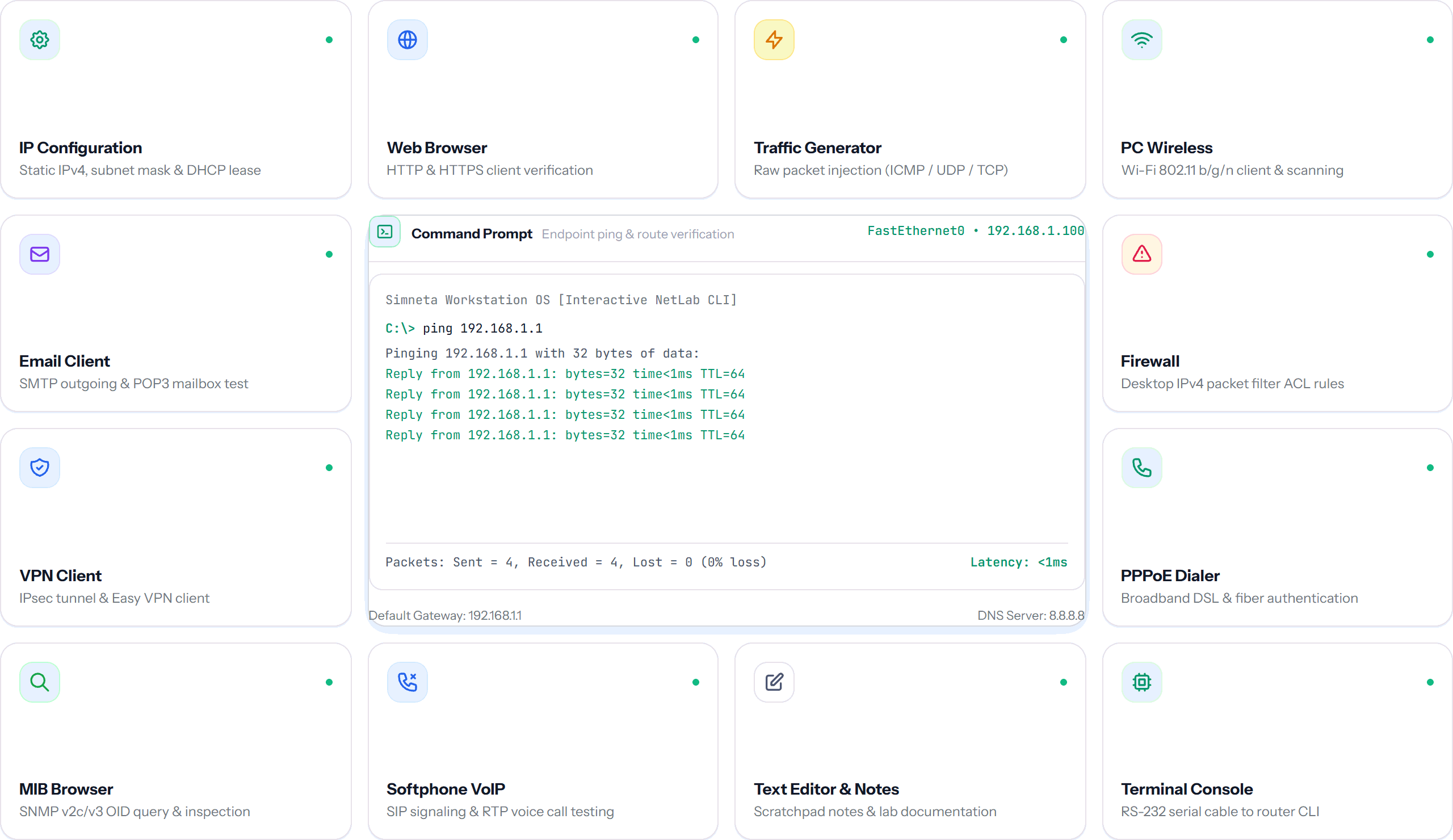
Overview
In traditional network emulators, PC endpoints are often either primitive dummy icons that only execute simple ping commands or require spinning up heavy virtual machines that consume gigabytes of computer memory. Simneta NetLab replaces this friction with a complete, lightweight virtual desktop environment running directly inside every workstation and laptop node.
With 13 built-in productivity and diagnostic applications, learners and engineers can experience true end-to-end network operation. Verify DHCP lease allocations in the IP Configuration utility, test web applications in the simulated HTTP Web Browser, run command-line diagnostics in the Command Prompt, and inspect host-level security using the integrated Host Firewall and Port Scanner.
The virtual desktop features a multi-window manager that lets you run network diagnostics side-by-side with client applications. Open a packet sniffer while browsing a local web server to inspect HTTP GET requests and TCP handshakes in real time from the end-user perspective.
Key Feature Capabilities
A clear breakdown of how this feature works and helps you learn networking.
Thirteen Built-in Desktop Tools
Every computer includes 13 built-in tools like Command Prompt, Web Browser, IP Configuration, and Packet Sniffer without needing heavy virtual machine software.
Real Client Network Behavior
PC endpoints request IP addresses via DHCP, resolve domain names with DNS, browse web servers with HTTP, and test connectivity with ping.
Security & Diagnostic Utilities
Features a local Port Scanner, Subnet Calculator, Packet Sniffer, and Host Firewall rules app to test endpoint security policies.
Saved Notes & Configuration Backups
Save notes, backup network configs, and preserve command output so your progress stays intact during your lab practice.
What You Can Do
IP Configuration app: switch between Static IPv4 and automatic DHCP leases
Command Prompt (CMD): execute ping, traceroute, and network diagnostics
In-browser Web Browser: load HTTP web pages hosted on local server nodes
Text Editor & Notes: save network diagrams notes and configuration backups
Utilities: Packet Sniffer, Subnet Calculator, Port Scanner, and Host Firewall
Feature Specifications
A quick breakdown of how this capability works and why it helps your network practice.
| Aspect | How It Works in Simneta | Why It Matters |
|---|---|---|
| Total Built-in Apps | 13 dedicated desktop tools on every PC, laptop, and server node | Test real client-side applications without running virtual machines |
| Web Testing | Full HTTP GET client with simulated HTML rendering | Verify web server configuration from an end-user perspective |
| IP Allocation | Instant DHCP lease binding and static address validation | Verify DHCP server pools in seconds |
| Security Tools | Port Scanner and Host Firewall rules app | Practice basic penetration testing and endpoint security |
Web Server Verification in PC Browser
bash# 1. Verify PC got IP from DHCP server:
PC-1:~$ ipconfig
IPv4 Address . . . : 192.168.10.50
Default Gateway . : 192.168.10.1
# 2. Test reachability to internal web server:
PC-1:~$ ping 192.168.10.200
Reply from 192.168.10.200: bytes=32 time=2ms TTL=64
# 3. Open Web Browser app and browse URL:
GET http://192.168.10.200/ -> Status 200 OK (Simneta Intranet Server)