
Cisco Packet Tracer Online Alternative
Build network topologies, wire routers and switches, configure IP subnets, and inspect live packet traffic directly in any web browser. No 300 MB installer download, no Cisco NetAcad account requirement, and zero installation headaches.
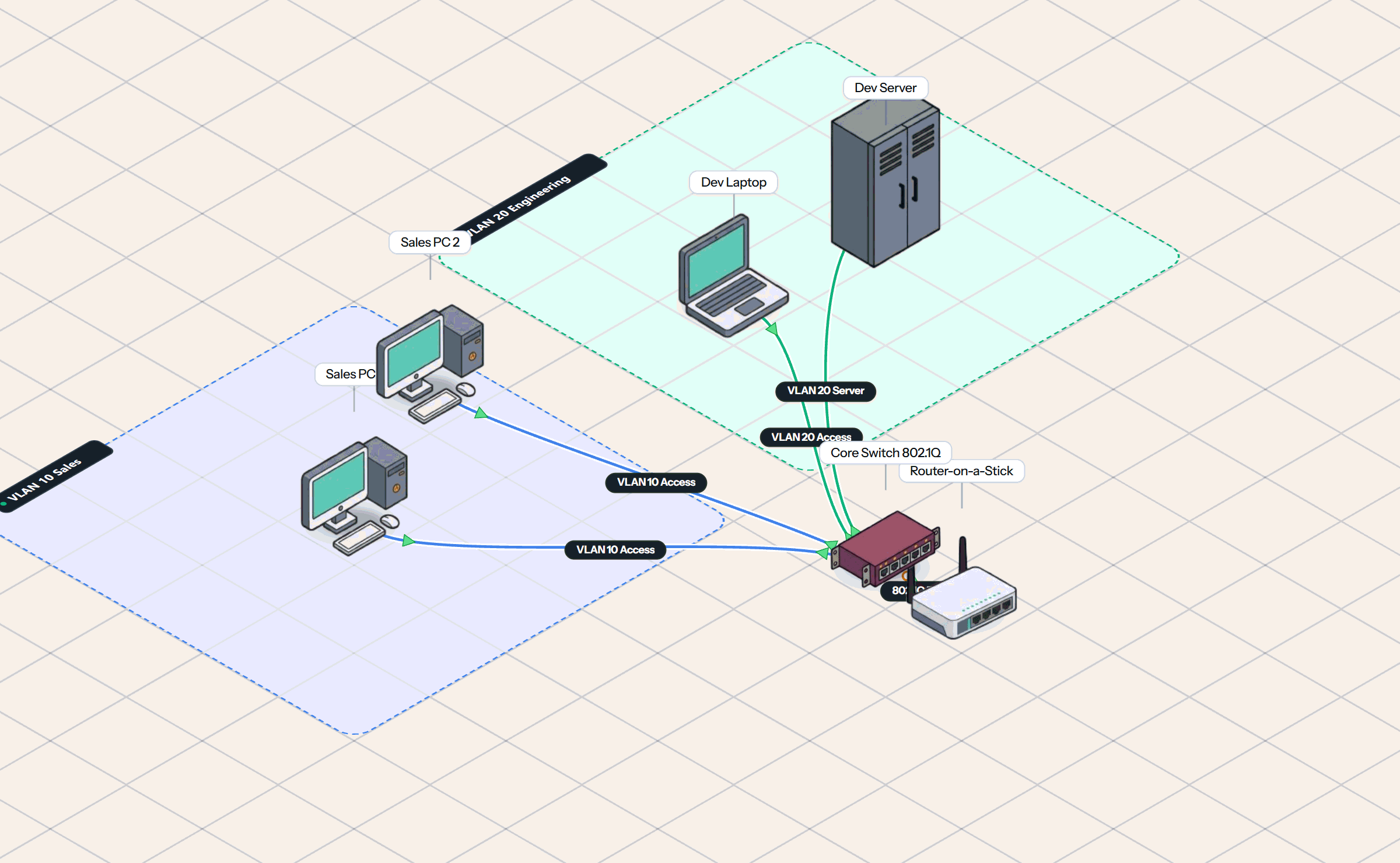
How Simneta NetLab Differs from Cisco Packet Tracer
While Cisco Packet Tracer is a venerable desktop learning tool, Simneta NetLab modernizes the workflow for the web-first era.
Browser Native
Open a browser tab and immediately start labbing. No 300 MB installer, no NetAcad account verification, and runs easily on Chromebooks and tablets.
Live Wire Packet Tracing
Watch ICMP, ARP, DHCP, and DNS frames travel along physical cables in real time with an integrated packet inspector—not hidden behind complex modal dialogs.
Virtual Router CLI & Console
Learn router and switch configuration with interactive command-line interfaces. Perfect for real-world networking practice.
Instant Collaboration
Share a URL with students or team members to troubleshoot a broken topology together. No network port forwarding or multi-user daemons required.
Packet Tracer Frustrations That Simneta NetLab Solves
Stop losing hours fighting installer permissions, account lockouts, and proprietary desktop file formats.
NetAcad Login Barrier and Account Prompts
Packet Tracer regularly prompts for NetAcad or SkillsForAll credentials, locking students out before an exam. Simneta NetLab offers instant guest access with zero login hurdles.
School Chromebook and Tablet Incompatibility
Many schools and universities issue Chromebooks or manage locked-down library PCs where students cannot install .exe or .deb binaries. Simneta runs natively in standard Chrome, Safari, Edge, or Firefox.
Clunky Event List for Packet Inspection
Packet Tracer’s simulation mode requires navigating a separate modal dialog with playback sliders and buffer limits. Simneta visually animates packets directly on cables with real-time protocol decoding.
Single-Vendor Proprietary Focus
Packet Tracer solely emulates Cisco IOS devices. Modern network engineers need experience with multi-vendor concepts, standard command lines, and network utilities, all built natively into Simneta.
From a Browser Tab to a Running Lab in Three Steps
No virtual machine configuration, no image importing, no license keys.
Drag and Place Network Devices
Choose from routers, managed switches, access points, and PC endpoints from the hardware palette and position them onto the canvas.
Wire Ethernet Ports with Auto-MDIX
Click and drag cables between interfaces. Links automatically negotiate speed, duplex, and link-state with real-time green activity LEDs.
Configure and Watch Live Packet Flow
Open interactive terminal CLIs to configure IP addresses, routes, and VLANs. Send pings and watch animated packets pulse across wires.
Every Core Networking Concept in Your Browser
Simneta NetLab covers the foundational and intermediate networking topics required for CCNA, Network+, and real-world IT infrastructure.
- • Static and Default Routes
- • OSPF Multi-Area
- • Inter-VLAN Routing
- • Router-on-a-Stick
- • 802.1Q VLAN Trunking
- • STP and RSTP Loops
- • Port Security and MAC Tables
- • Access vs Trunk Ports
- • DHCP Server and Client
- • NAT and Masquerade
- • DNS Resolution
- • Default Gateway
- • Firewall Filter Rules
- • ICMP Ping and Traceroute
- • Live Frame Inspection
- • Subnet Mask Calculations
Cisco Packet Tracer vs Simneta NetLab
A factual side-by-side comparison of capabilities, device support, and installation requirements.
| Capability | Cisco Packet Tracer | Simneta NetLab |
|---|---|---|
| Installation and Setup | Desktop download (~300 MB installer, ~1.4 GB disk space) | 100% In-Browser (Zero installation) |
| Device Compatibility | Windows, macOS, and Ubuntu desktop only | Any browser (Chromebook, Mac, PC, Linux, iPad) |
| Account Requirements | Requires Cisco NetAcad or SkillsForAll authentication | Instant guest access; optional account for cloud sync |
| Packet Flow Visibility | Static simulation playback modal dialog | Live wire packet pulses and integrated frame decoder |
| Router Management Interface | Cisco IOS CLI only | Interactive Terminal CLI & Visual Topology Canvas |
| Real-Time Team Collaboration | Complex multi-user daemon via manual port forwarding | Instant URL sharing and synchronized workspace |
| Virtual Client Endpoint Tools | Basic command prompt tab | 13 virtual tools (Ping, Traceroute, DNS, Web browser) |
| Offline Standalone Mode | Offline desktop app with periodic login verification | Native Desktop App with 100% offline engine |
The Bottom Line: Which Tool Should You Pick?
Pick Cisco Packet Tracer when you need:
- •To submit proprietary `.pkt` homework files assigned by your NetAcad instructor.
- •Specific Cisco IoT microcontrollers and specialty smart-city sensor simulations.
Pick Simneta NetLab when you need:
- •Instant hands-on lab access without installing 300 MB software or remembering NetAcad passwords.
- •To run labs on Chromebooks, tablets, or locked-down school computers.
- •To see live packet flows traveling on wires and practice standard router CLI commands.
Frequently Asked Questions
Common questions about using Cisco Packet Tracer alternatives online.