
Interactive Terminal CLI
Practice real command-line workflows on routers, switches, and client computers.
Overview
The command line remains the definitive control plane for professional network operations. Whether verifying routing tables, inspecting ARP resolution caches, or configuring trunk interfaces, network engineers live in the terminal. Yet setting up multi-device terminal environments usually involves managing external SSH clients, configuring COM port baud rates, or dealing with sluggish virtual machine terminal lag.
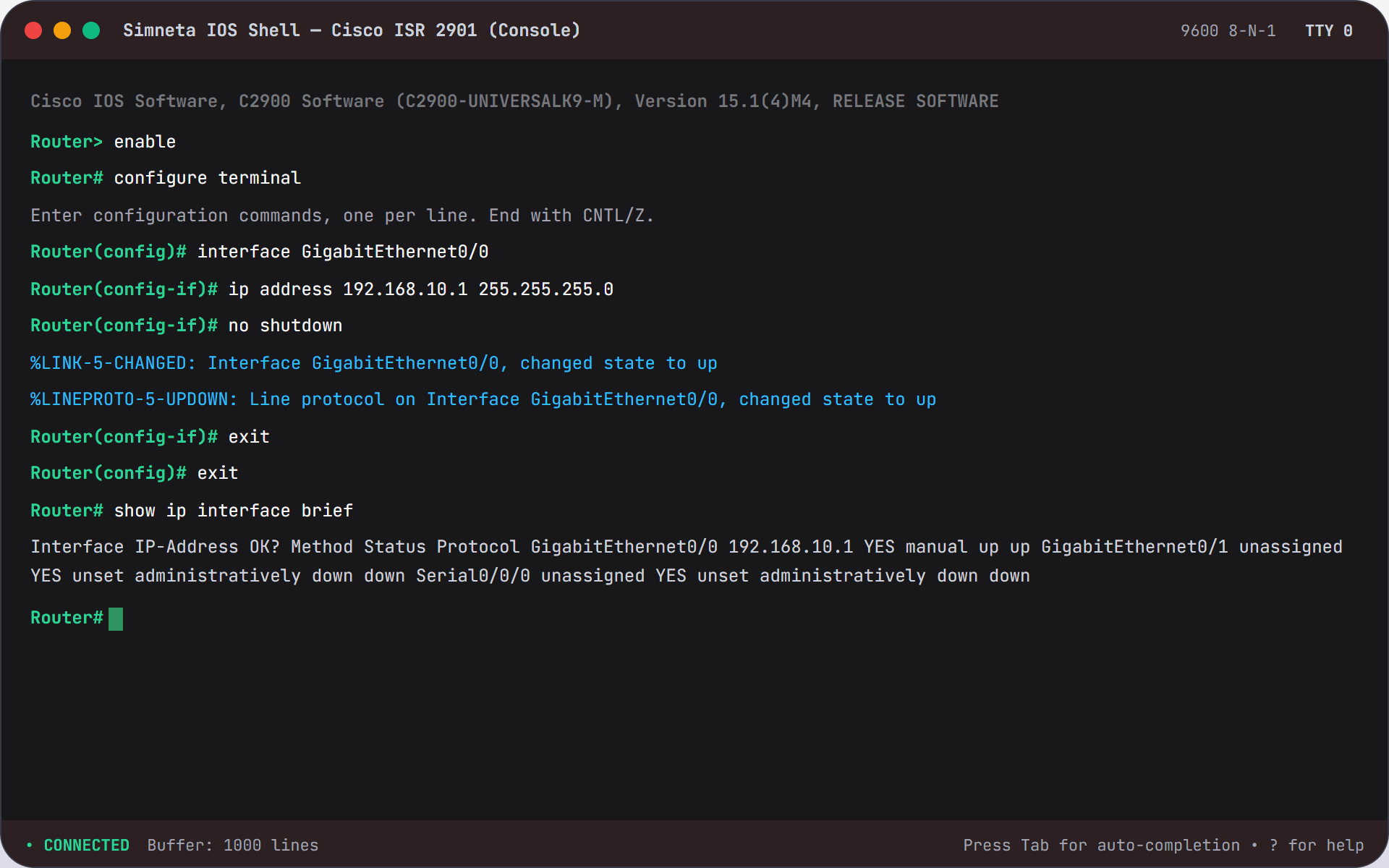
Simneta NetLab features an embedded, high-performance web terminal emulator built directly into the workspace canvas. Clicking any device—from an unmanaged endpoint to a core gateway—spawns an authentic, focused command prompt session with zero latency.
The terminal engine understands native command syntaxes across both Cisco IOS and MikroTik RouterOS environments, complete with Tab auto-completion, command history (Up/Down arrow navigation), syntax validation, and realistic asynchronous stdout streams. It delivers the exact tactile feel of physical console cabling without the hardware hassles.
Key Feature Capabilities
A clear breakdown of how this feature works and helps you learn networking.
Smooth Interactive Terminal
Features clear colored text output, arrow-key navigation for past commands, and instant keystroke response for a natural typing feel.
Multi-Vendor Command Support
Practice Cisco IOS commands like "enable" and "show ip route", alongside router commands like "/ip address print", complete with Tab auto-completion.
Built-in Network Diagnostics
Run commands like "ping", "traceroute", and "arp -a" to trigger live packet traffic across your canvas cables with realistic delay results.
Side-by-Side Multi-Device Sessions
Open multiple terminal windows at the same time. Compare routing tables between two routers while testing ping connectivity between client computers.
What You Can Do
Standard router command syntax with Tab auto-completion
Diagnostic commands: ping, traceroute, ipconfig, arp, and netstat
Real-time output stream showing response times and packet delivery
Routing inspection: view active routes, default gateways, and ARP entries
Zero terminal client setup: works natively inside your browser window
Feature Specifications
A quick breakdown of how this capability works and why it helps your network practice.
| Aspect | How It Works in Simneta | Why It Matters |
|---|---|---|
| Command Emulation | RouterOS commands, Cisco IOS syntax, and standard PC shell | Practice multi-vendor command patterns in one tool |
| Diagnostic Tools | Ping (ICMP), Traceroute, IPConfig, ARP Table, Route Print | Troubleshoot network issues just like on physical hardware |
| Keyboard Support | Tab auto-completion, Command History (Up/Down arrow keys) | Fast, smooth typing experience for beginners and pros |
| Multi-Terminal Access | Open multiple terminal windows for different devices side-by-side | Compare routing tables on Router A and Router B at the same time |
PC Reachability Test Session
bashPC-1:~$ ipconfig
Ethernet adapter Local Area Connection:
IPv4 Address. . . . . . . : 192.168.1.15
Subnet Mask . . . . . . . : 255.255.255.0
Default Gateway . . . . . : 192.168.1.1
PC-1:~$ ping 192.168.1.1
Pinging 192.168.1.1 with 32 bytes of data:
Reply from 192.168.1.1: bytes=32 time=1ms TTL=64
Reply from 192.168.1.1: bytes=32 time=1ms TTL=64
Packets: Sent = 2, Received = 2, Lost = 0 (0% loss)