
Real-Time Team Collaboration
Work on the same network lab together with your classmates or team in real time.
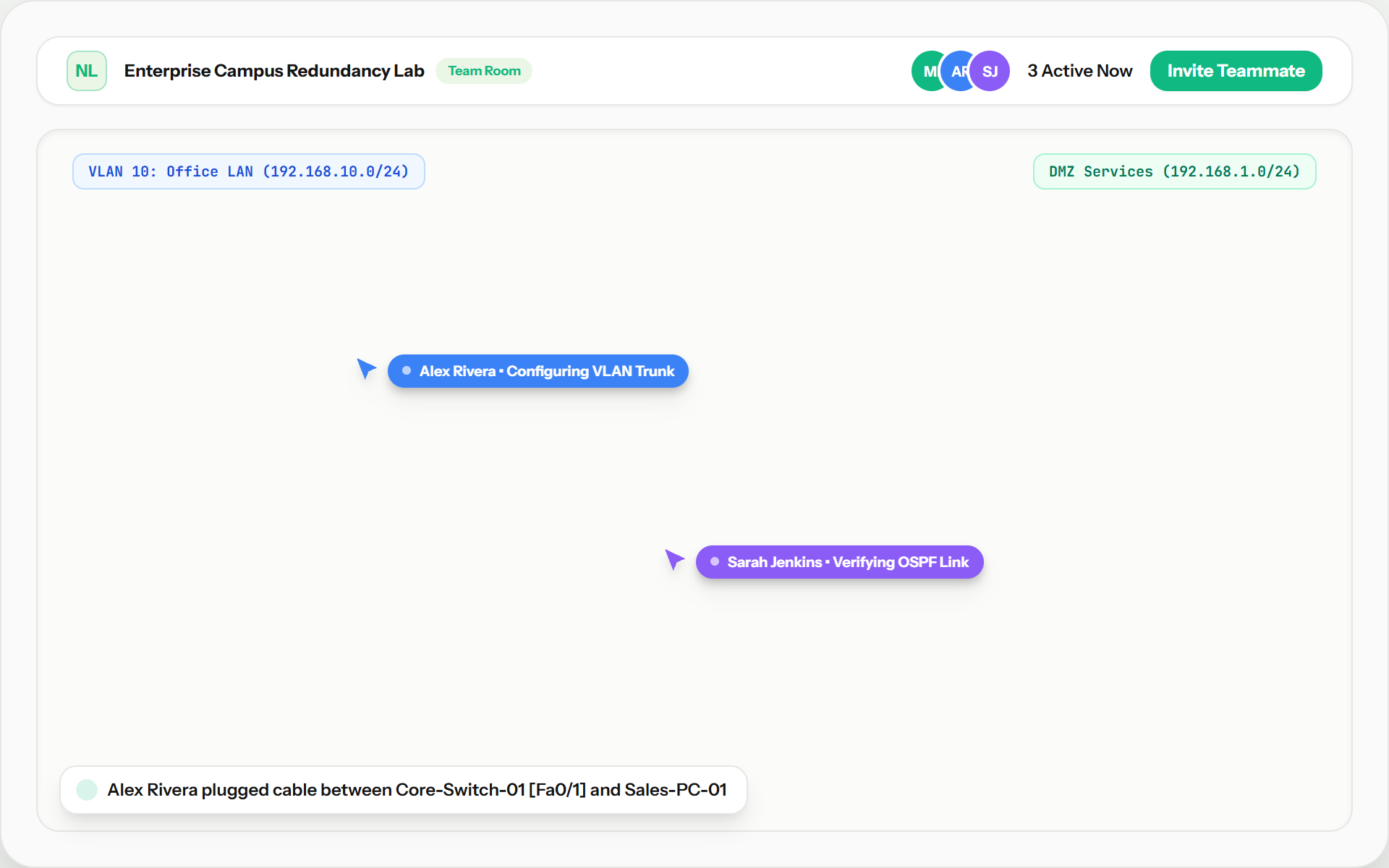
Overview
In traditional computer networking courses, lab assignments are isolated single-player exercises or require cumbersome file exchanges over email and chat. Simneta NetLab transforms network lab experimentation into a smooth multiplayer experience with real-time collaborative workspace synchronization.
Multiple students, instructors, or technical interviewers can connect to the exact same live network canvas at the same time. Every action—cabling two switch ports together, adjusting an IPv4 address on a workstation, or firing an ICMP ping trace—propagates across all connected browser sessions with sub-50ms latency.
Teammates see each other’s live pointer positions with distinctive color tags and identity badges. An instructor can guide a struggling student directly on the canvas, or a pair of engineers can divide responsibilities: one student configures VLANs on the core switch while the other configures DHCP pools and default routes on the edge gateway.
Key Feature Capabilities
A clear breakdown of how this feature works and helps you learn networking.
Instant Shared Updates
Changes made to devices, cables, and router settings appear immediately on your partner’s screen without needing to refresh the page.
Live Team Cursors
See exactly where your teammates are pointing and working on the canvas with distinct colored cursors and name labels.
Conflict-Free Team Editing
Teammates can work on separate routers, switches, and computers at the same time without overwriting each other’s configurations.
Instant Shareable Lab Rooms
Create instant collaboration links so classmates or study partners can join your network lab session immediately with zero setup.
What You Can Do
Live multi-user topology synchronization with zero page reloads
See active teammate cursors with custom user name badges and colors
Instant link and node state updates when a teammate plugs a cable or changes settings
Divide and conquer: one person configures Router 1 while another configures the switch
Ideal for classroom lab assignments, study groups, and live technical interviews
Feature Specifications
A quick breakdown of how this capability works and why it helps your network practice.
| Aspect | How It Works in Simneta | Why It Matters |
|---|---|---|
| Sync Technology | Zero-latency real-time workspace broadcast synchronization | Everyone sees edits immediately with no manual saving needed |
| Presence Tracking | Teammate presence list with live cursor coordinates and colors | Know exactly where your partner is working on the canvas |
| Conflict Prevention | Deterministic state merge and non-destructive node locking | Prevents teammates from overwriting each other’s configurations |
| Use Cases | Classroom teaching, group homework, and live job interviews | No screen sharing required; both people can interact with the lab |