Wi-Fi and Home Office Networks
5 Chapters Track•Wireless

Wi-Fi and Home Office Networks

Master Small Office Home Office router architecture, Wi-Fi access point deployment, DHCP automated p

Module Structure5 Chapters
Total Time90 mins

Module Overview

Master Small Office Home Office router architecture, Wi-Fi access point deployment, DHCP automated pooling, port forwarding, and smart network integration in hands-on NetLab scenarios.

What You Need

  • Computer Network Basics

Chapter Lessons & Labs

Learn step by step. Each chapter includes practical tasks and an interactive topology.

Step-by-Step Learning
1Chapter 1•16 mins

Home Routers and NAT

Explore the internal components of a Small Office Home Office integrated router. Master the separation between internal private LAN ports and external public WAN transits.

Practice Tasks:
Inspect SOHO Router Interface Status
Ping Gateway LAN Interface from Desktop PC
Verify Internet Reachability Through NAT
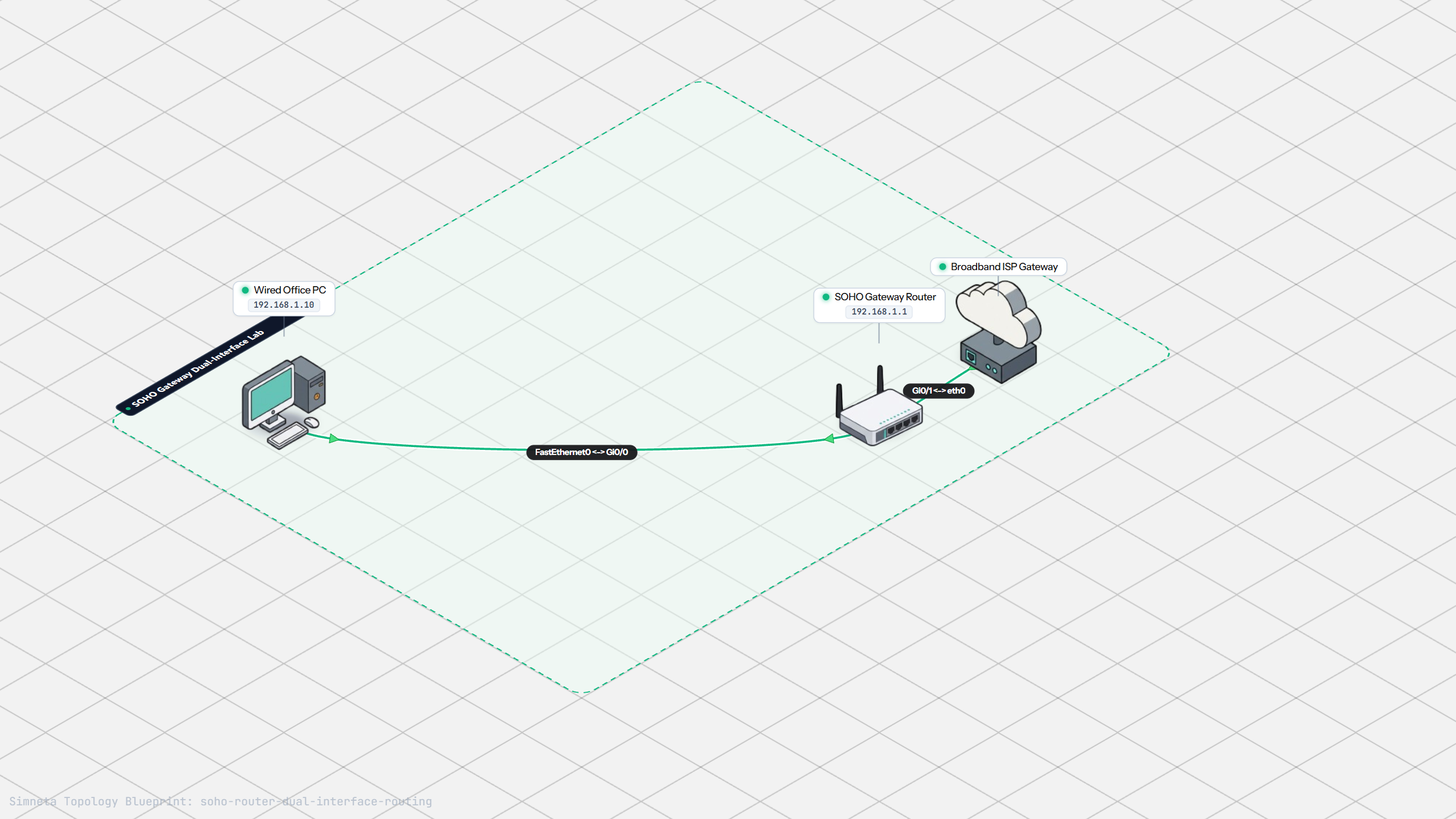
Home Routers and NAT Topology Preview
2Chapter 2•18 mins

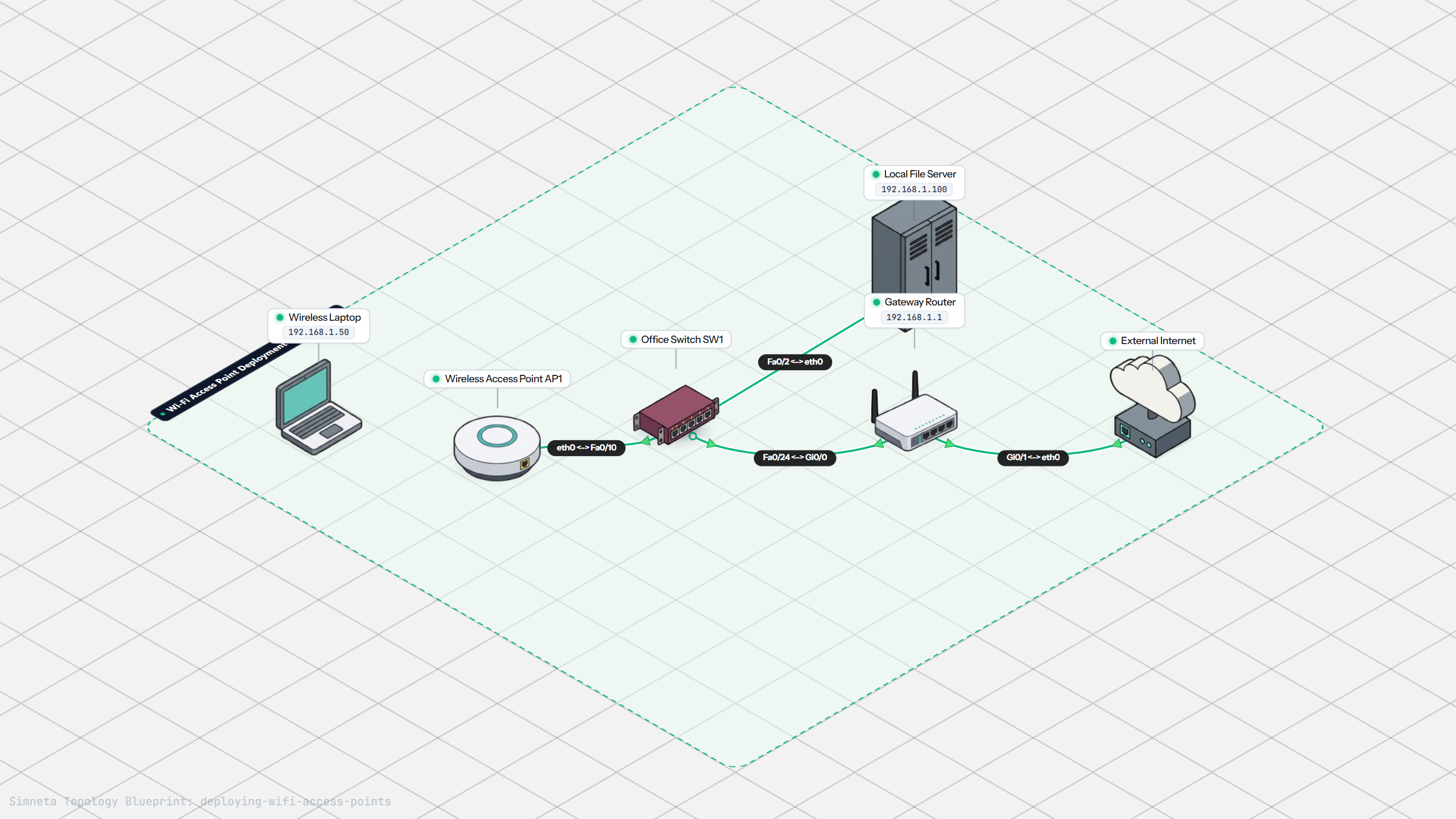
Setting Up Wi-Fi Access Points

Extend wired LAN networks into wireless radio airspace. Master SSID configuration, 2.4 GHz versus 5 GHz bands, non-overlapping channel selection, and WPA security.

Practice Tasks:
Verify Access Point Link State
Ping Wired Server from Wireless Laptop
Verify Internet Transit Over Wi-Fi
Setting Up Wi-Fi Access Points Topology Preview
3Chapter 3•20 mins

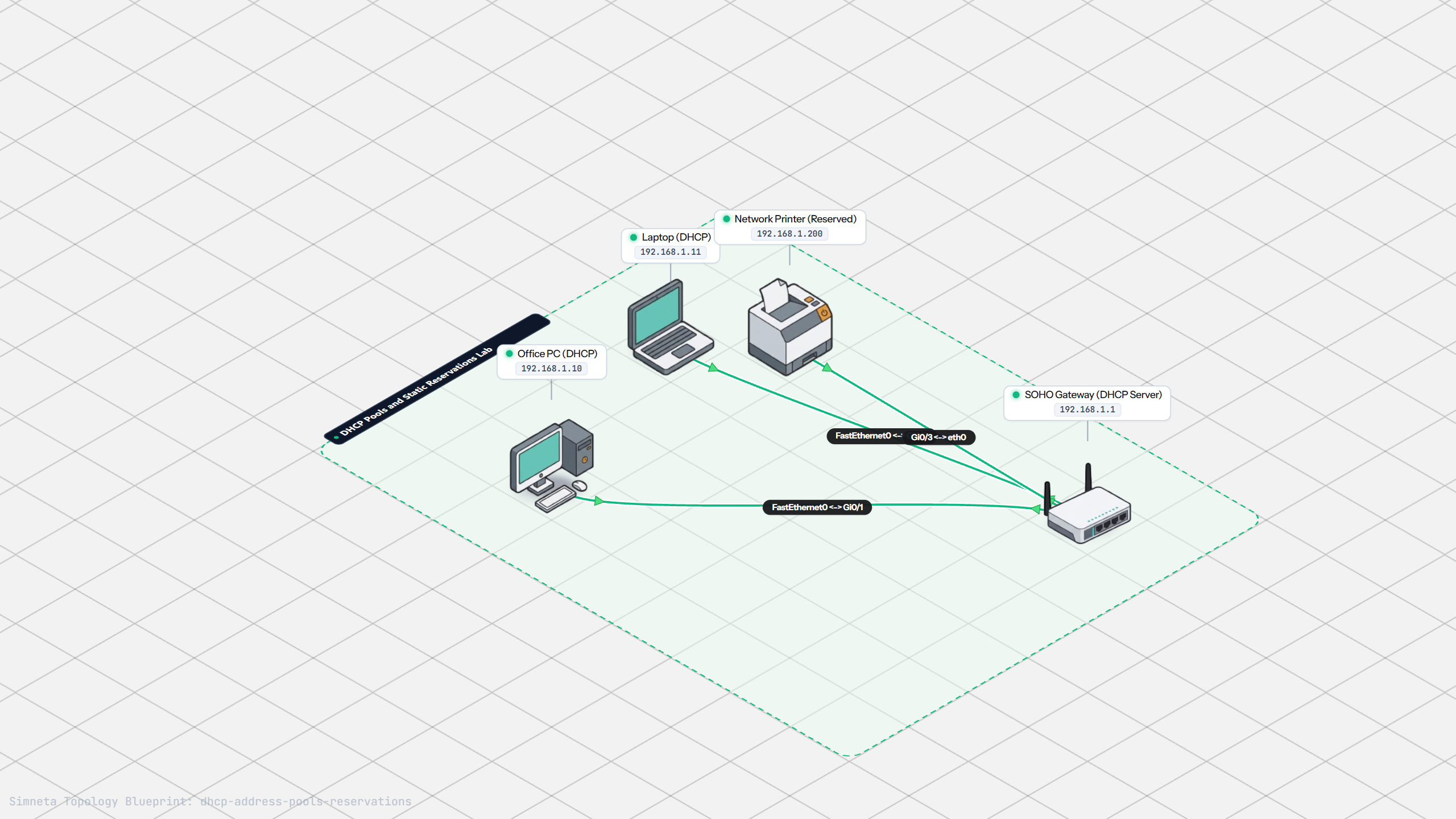
DHCP Pools and Reservations

Automate network configuration with Dynamic Host Configuration Protocol. Configure address pools, lease timers, and create static MAC reservations for printers and servers.

Practice Tasks:
Inspect DHCP Pool Configuration on Router
Ping Leased Office PC from Laptop
Verify Communication with Reserved Network Printer
DHCP Pools and Reservations Topology Preview
4Chapter 4•20 mins

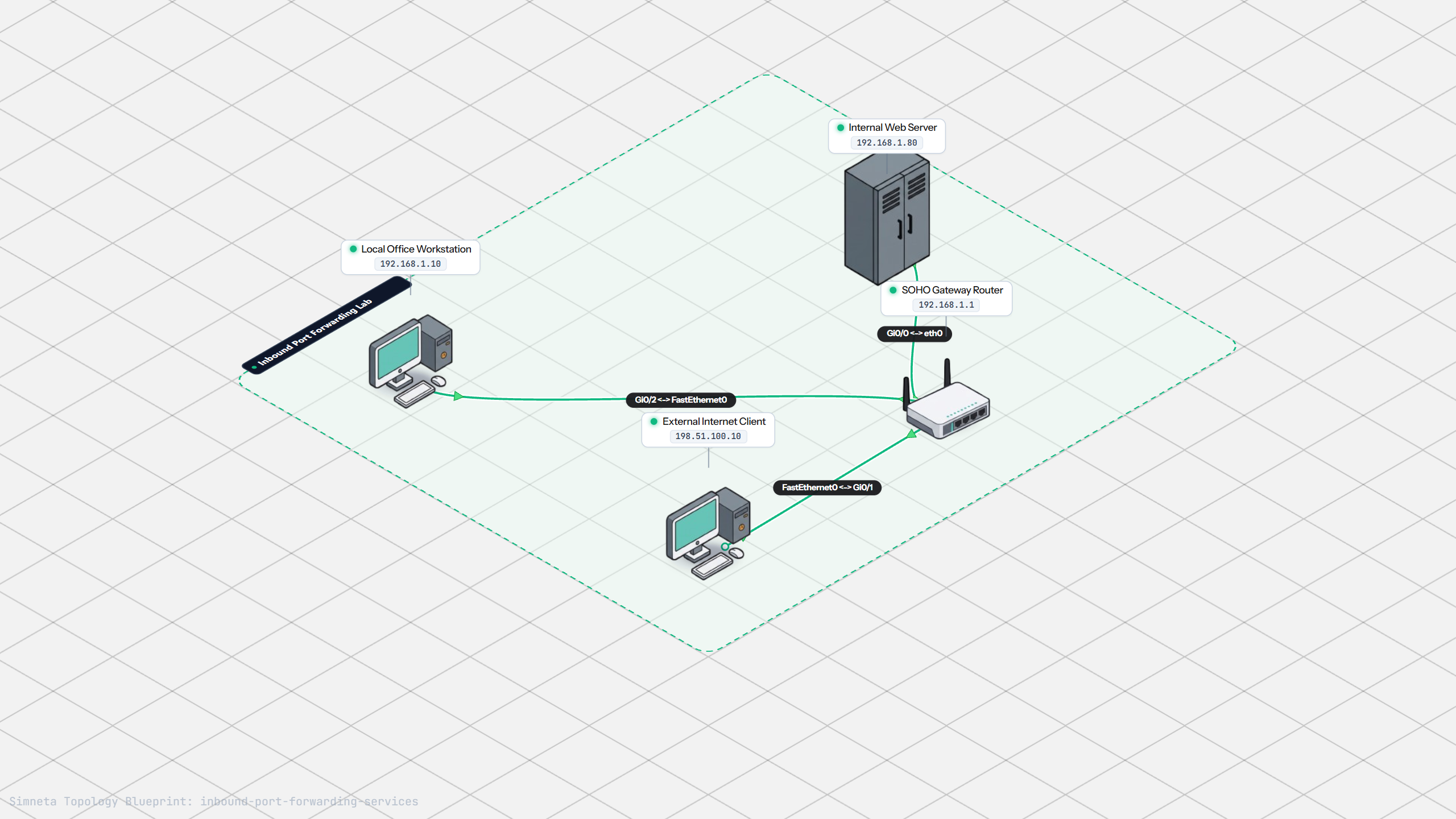
Setting Up Port Forwarding

Punch controlled holes through the NAT firewall. Configure inbound port forwarding rules to publish internal web servers, security cameras, and media portals safely.

Practice Tasks:
Review Port Forwarding Rules in Router CLI
Verify Inbound Web Access from Internet Client
Verify Internal Server Response in Logs
Setting Up Port Forwarding Topology Preview
5Chapter 5•25 mins

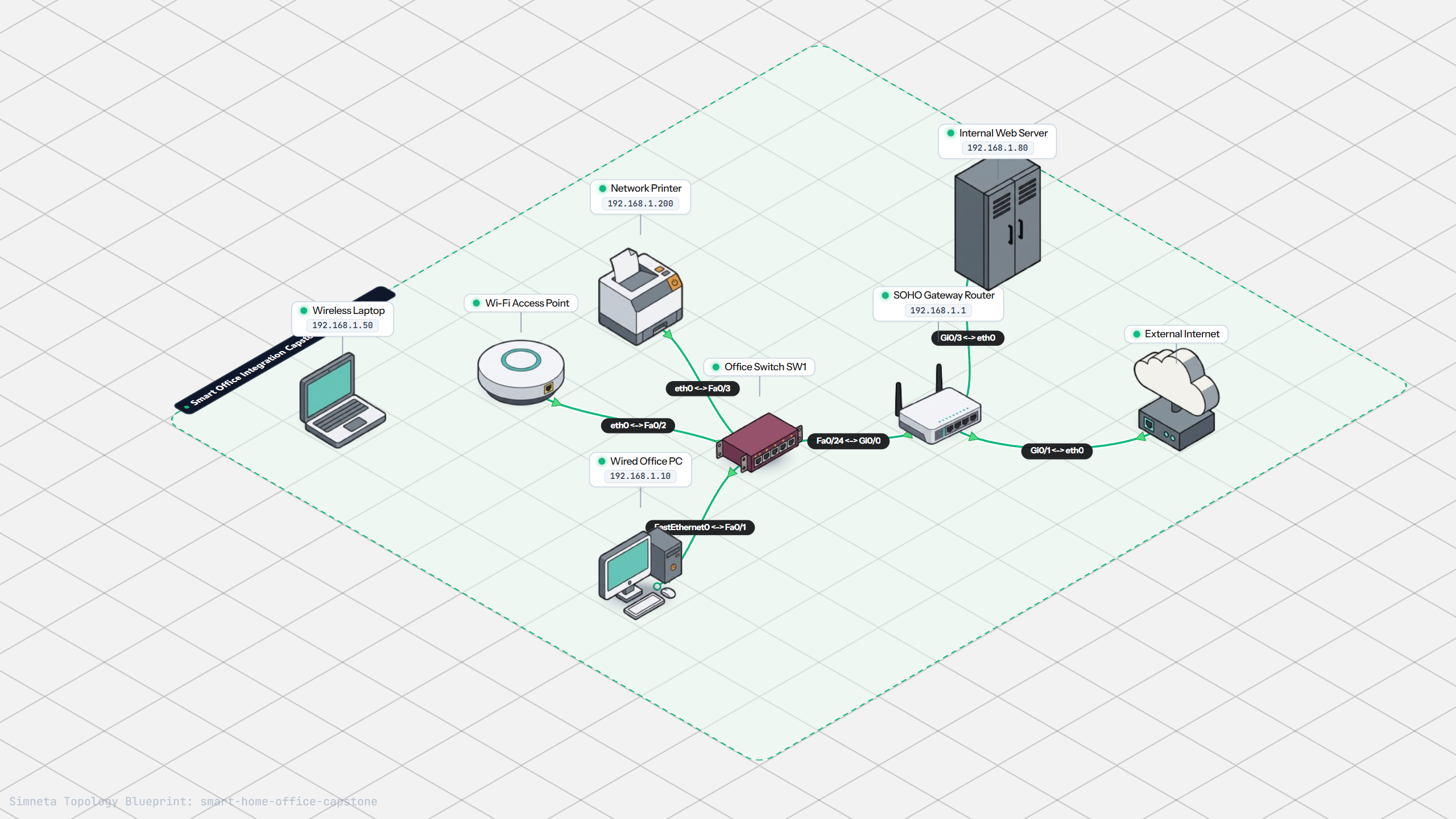
Capstone: Home Office Network

Build a complete small business network from the ground up. Unify wired PCs, Wi-Fi laptops, IoT appliances, DHCP reservation, and WAN internet transit.

Practice Tasks:
Verify Wireless-to-Wired Convergence
Verify Access to Reserved Network Printer
Verify Outbound Internet Access Across NAT
Capstone: Home Office Network Topology Preview